
pitFM Surfaces
pitFM SURFACES AT A GLANCE
pitFM Expert
Your central workplace for administration, data maintenance and reporting:
- Full range of functions and end-to-end control of your processes
- Quick access to the entire data model via tree structure and filters
- Integrated dashboard and analysis functions
- Can be operated as a classic fat client or as a web client in the browser
pitFM SMART
Ideal for the occasional user with clear requirements:
- Intuitive interface, reduced to the essentials
- Support for lean processes with high benefits
- Customizable without programming (via pitFM Studio)
- Graphic display and navigation via SVG / map integration
pitFM 2GO
- Full access to relevant information (tickets, plans, history)
- Offline capability for untethered work even with a poor connection
- Intuitive operation, fast navigation via maps and plans
pitFM EXPERT
Valid data and consistent processes for facility management
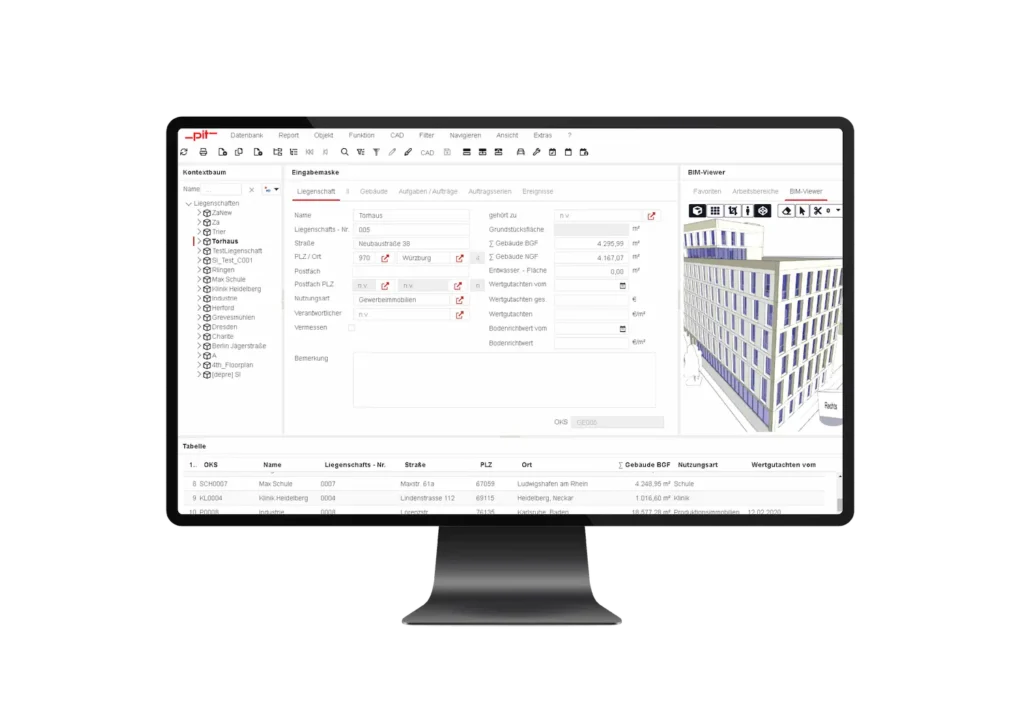
pitFM Expert was developed for power users, administrators and facility managers who want to fully control all data, objects and processes. The interface can be configured individually. You work with index cards, context trees and table views to quickly switch between objects, areas, contracts or maintenance tasks. A key feature is the integration of CAD/BIM plans directly into pitFM. This connection allows you to visualize plans and link them to your property data. Doors, rooms or devices can be selected in the plan.
In addition, reporting and analysis functions provide deep insights into processes. pitFM Expert can be used both as a classic desktop client and in the browser and supports an optimal system overview with monitoring, resource analysis and performance tools.
With monitoring, resource analysis and performance tools, you can keep an eye on technical processes and optimize system operation.
pitFM SMART
The intuitive web app for everyday users
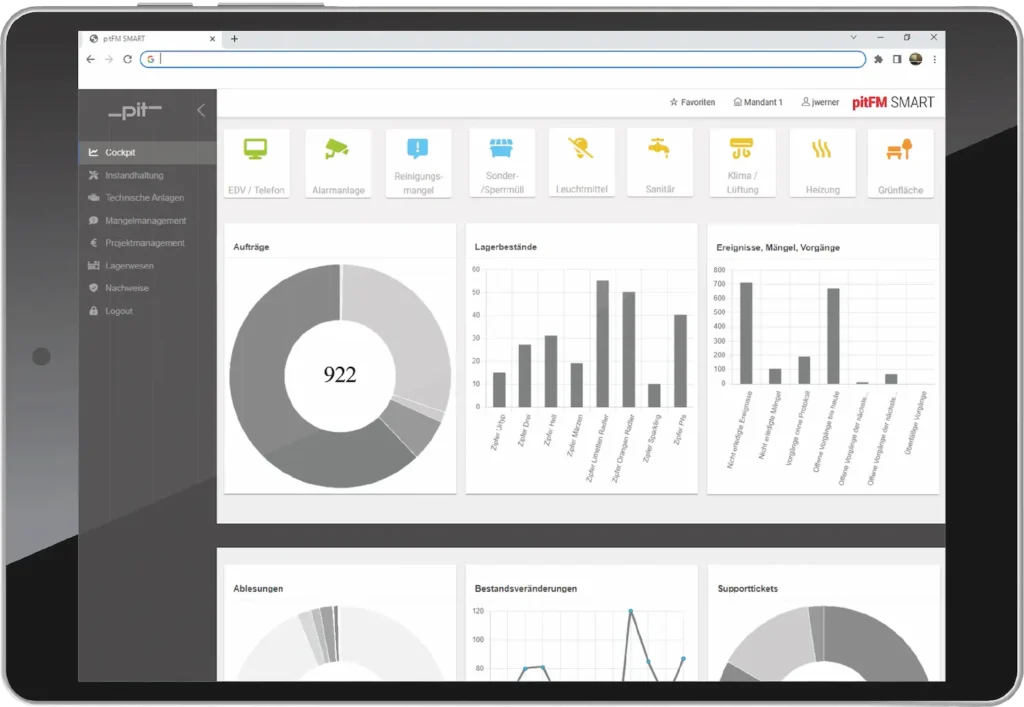
pitFM Smart was deliberately designed to be lean and user-centered so that it can be used without lengthy training. The focus is on clarity and efficiency. The interface is reduced to the essentials without you having to do without central functions.
You benefit from visual navigation, graphical localization and objects on SVG-based plans, role-based layout and guided input. Adjustments are made via pitFM Studio, which allows graphical process modeling without any programming.
pitFM Smart also supports CAD integration. Plans are translated into lean display concepts so that you can click on elements directly in the plan or jump to the detail page.
Dashboards and evaluations give you a quick overview of structures, tickets, statuses and processes. This enables quick decisions to be made in specialist departments, controlling or management.
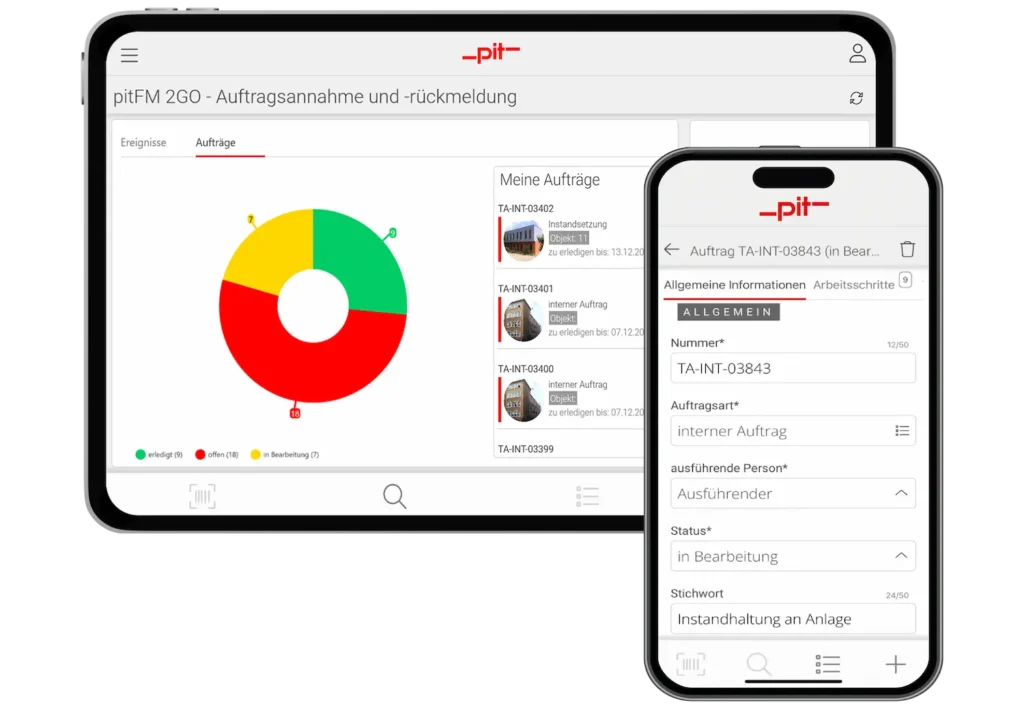
pitFM 2GO
Mobile, offline usable and directly on site
With pitFM 2GO, you can bring the CAFM system into the pockets of your technicians, inspectors and service providers. Mobile, intuitive and even without a permanent internet connection. The app was specially developed for use on smartphones and tablets and covers essential CAFM processes such as ticketing, maintenance, data collection and meter reading.
One of the highlights is the offline function, which allows you to work in dead spots or parts of buildings without connectivity. As soon as a connection is re-established, all data is automatically synchronized.
The app supports modern UX standards and allows customization via pitFM Studio. Mobile workflows can also be modeled graphically. The app uses graphic formats so that CAD plans can also be used in the mobile view.
pitFM 2GO is available across all platforms and is based on technologies such as .NET MAUI to ensure a consistent app experience on all devices.